Bulk redirects on Shopify: the CSV import, step by step (with a template)
How to build a two-column redirect CSV, import it from the Shopify admin, and clean out the rows Shopify ignores before they cost you traffic.
A platform migration, a new URL structure or a discontinued product line can leave you with hundreds of dead URLs in one day. The CSV import handles the whole list in one upload, as long as the file follows Shopify's format and skips the rows Shopify ignores. For the basics, start with our Shopify 301 redirects guide.
The CSV format: two columns
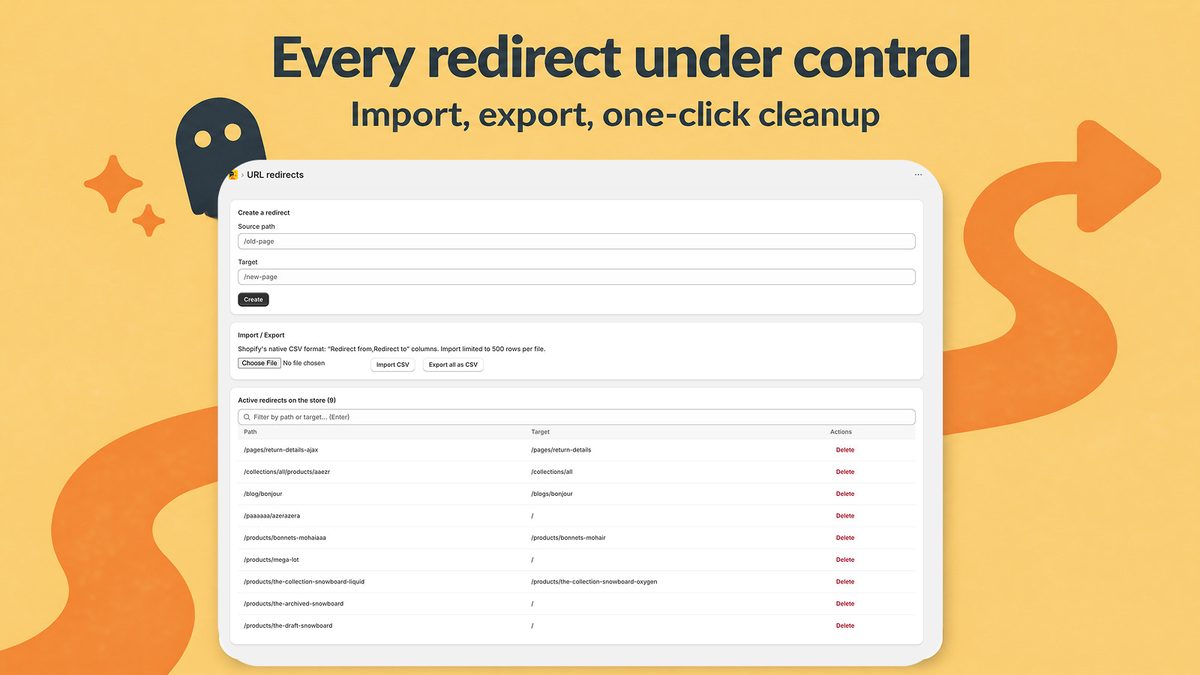
The file has two columns, named after the fields of the manual redirect form: Redirect from and Redirect to. Shopify publishes an official sample redirect template you can download and fill in.
A copyable example:
Redirect from,Redirect to
/products/linen-shirt-blue-v1,/products/linen-shirt-blue
/products/summer-hat-2024,/collections/hats
/collections/sale-2024,/collections/sale
/pages/lookbook-spring,/
/blogs/news/how-to-wash-linen-old,/blogs/news/how-to-wash-linen
/pages/wholesale,https://wholesale.example.com/
- Redirect from: the old path, relative, starting with
/. Shop Circle, which publishes a redirect app, recommends relative paths rather than full domain URLs to avoid upload errors. - Redirect to: a relative path such as
/collections/hatskeeps the visitor on your primary domain, and/sends the old URL to the home page. - Use a full URL (
https://...) only in Redirect to, for a destination outside your primary domain.
Import the file from the Shopify admin
Older tutorials still cite Online Store > Navigation, an outdated path. Shopify's help page on URL redirects lists the current steps:
- In the Shopify admin, go to Content > Menus, then click View URL Redirects.
- Click Import.
- Click Add File, select your CSV, then click Upload file.
- Read the summary in Review the import.
- Click Import redirects, then Close.
Clean the file before you upload
Some rows fail at import, others never fire. Check your file first:
- The source still loads a page. Shopify only redirects broken URLs. If the old URL still shows a live product, collection or page, the redirect won't work, so remove or hide that page first. Trap: a hidden collection returns a 404 and the redirect fires, but making it visible again deletes the redirect automatically.
- Reserved prefixes and paths. Sources can't start with
/apps,/application,/cart,/carts,/orders,/servicesor/shop, and can't be exactly/products,/collectionsor/collections/all. Shopify also reserves/collections/vendors,/collections/types,/a/,/community/and/tools/. Watch for old/shop/...URLs after a migration. - Collection tag filters. URLs like
/collections/shirts/linencan't be redirected, even if no product carries the tag, because Shopify treats the path as valid. .htmlduplicates. A row from/products/linen-shirt.htmlto/products/linen-shirtdoes nothing: Shopify treats both as the same URL.- Query strings and special characters. Shopify warns that URLs like
/brands/dell.html?_bc_fsnf=1&interface=interface_typemight not work as expected. Test them separately. - Targets that are themselves redirected. Point every old URL at its final destination. According to the merchant report quoted below, Shopify doesn't add a redirect that leads to another redirect and flags it for correction. Google's site move guidance also warns against chains: Googlebot follows up to 10 hops, and Google advises ideally no more than 3.
- Typos. Shopify's own troubleshooting list starts with typos in either column.
Re-import, back up and fix in bulk
Export your existing redirects before any new import (Content > Menus > URL redirects > Export, choose the redirects and the CSV type, then Export URL redirects). That copy is your restore point.
A merchant who tested a re-import reported on the Shopify Community in January 2022 that the import updates existing redirects with the same source path to the new target and adds the new rows. Re-importing a corrected file therefore fixes a batch.
For smaller fixes, select redirects and use Edit redirect (bulk edit) or Delete selected redirects. Filtering by date added isolates a single import, and you can save the filter as a tab.
Test the old URLs after the import
- Use a private window or another device. Browsers cache 301s, so your usual browser may show a stale result. The same cache keeps a deleted redirect working for some visitors until it expires.
- Check your market subfolders. Shopify's help page says a redirect applies to all language and market subfolders (such as
/en-ca/), then says the opposite in another sentence. Test a few subfolder URLs. - Keep the redirects. Google recommends keeping them for at least one year. Shopify allows 100,000 redirects per store, and 20,000,000 on Shopify Plus.
If a row imported fine but the old URL still shows an error, work through our guide on Shopify redirects that don't work.
Where a CSV import stops
The native tool matches one exact path per row. There is no pattern matching, so every blog post you moved needs its own row. A CSV also freezes a list on the day you build it. New broken URLs keep arriving after the import: deleted products, mistyped backlinks, old campaign links.
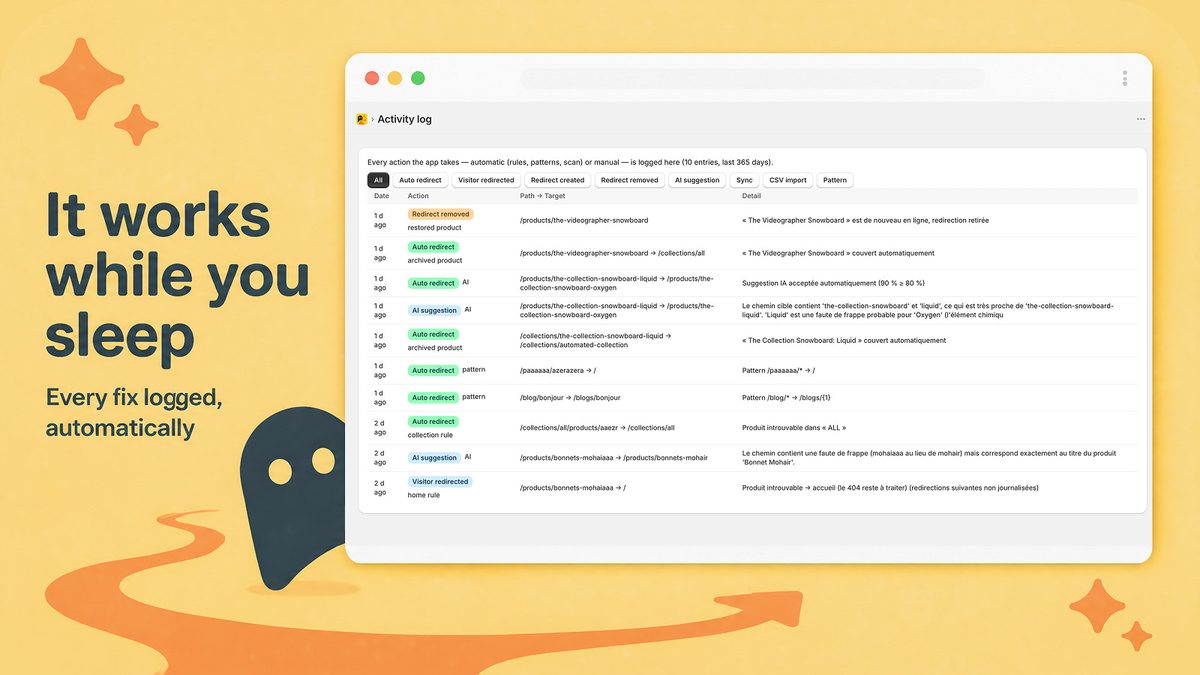
Covering those gaps takes an app. Radar404 reads the same two-column file, adds wildcard patterns with captures such as /blog/* → /blogs/{1}, and records each new 404 as visitors hit it.
For the other options, see our Shopify redirect apps comparison.
Radar404 for the redirects that come after the CSV
Radar404 loads a beacon on your 404 page only, reports each broken URL in real time, and proposes the closest existing page from your catalog with a confidence score. As of September 18, 2026, the Free plan covers unlimited 404 detection and one-click manual redirects. CSV import/export, bulk actions and 5 wildcard patterns start with Starter at $5/month, and Pro at $24/month removes the limits, with a 14-day trial on paid plans. The redirects it creates are native Shopify redirects, so they stay after you uninstall. It doesn't crawl your site for broken internal links: it sees a broken URL only when a visitor or a bot requests it. Install Radar404 from the Shopify App Store.
Frequently asked questions
What does a Shopify bulk redirects CSV look like?
It has two columns, Redirect from and Redirect to. Each row holds one old relative path, such as /products/old-shirt, and its new destination: a relative path, / for the home page, or a full https:// URL for a page outside your primary domain.
Will importing a CSV overwrite my current redirects?
A merchant who tested it reported on the Shopify Community that the import updates existing redirects with the same source path to the new target and adds the new ones. Export your current redirects before importing so you keep a backup.
Can a Shopify CSV redirect use a wildcard?
No. The native import maps one exact path to one target per row, with no pattern matching. For rules such as /blog/* to /blogs/{1}, you need a redirect app that supports wildcard patterns.
Why did some rows of my redirect CSV do nothing?
Shopify only redirects broken URLs, so a row whose source still loads a live page has no effect. Reserved paths, collection tag filters, query strings, and rows that point to another redirect also fail or get flagged.