Shopify wildcard redirects: what the native tool can't do, and how to do it
Shopify's built-in redirects match one exact URL per row. Here is how wildcard patterns with captures work, the four cases where they replace hundreds of rows, and the traps to check first.
You moved your blog, merged collections, or left another platform. Now hundreds of old URLs return a 404, all with the same shape. A wildcard redirect covers that shape with one rule. Shopify's built-in tool can't do it, so here is how patterns work and what to check first.
Native redirects: one exact URL per row
Redirects live under Content > Menus > View URL Redirects, one Redirect from path and one Redirect to target each. Shopify's help page on URL redirects never mentions wildcards, patterns or regex. For volume, it says: "To create a large number of redirects, consider using a third-party app."
Ablestar's help center states that Shopify redirects "must match the URL exactly." A blog with hundreds of posts needs hundreds of rows. Our Shopify 301 redirects guide covers the basics. Two native rules still apply to everything a pattern creates: a redirect only fires on a broken URL (if the old path still loads a page, Shopify ignores it), and a store holds up to 100,000 redirects (20,000,000 on Shopify Plus).
Anatomy of a wildcard pattern
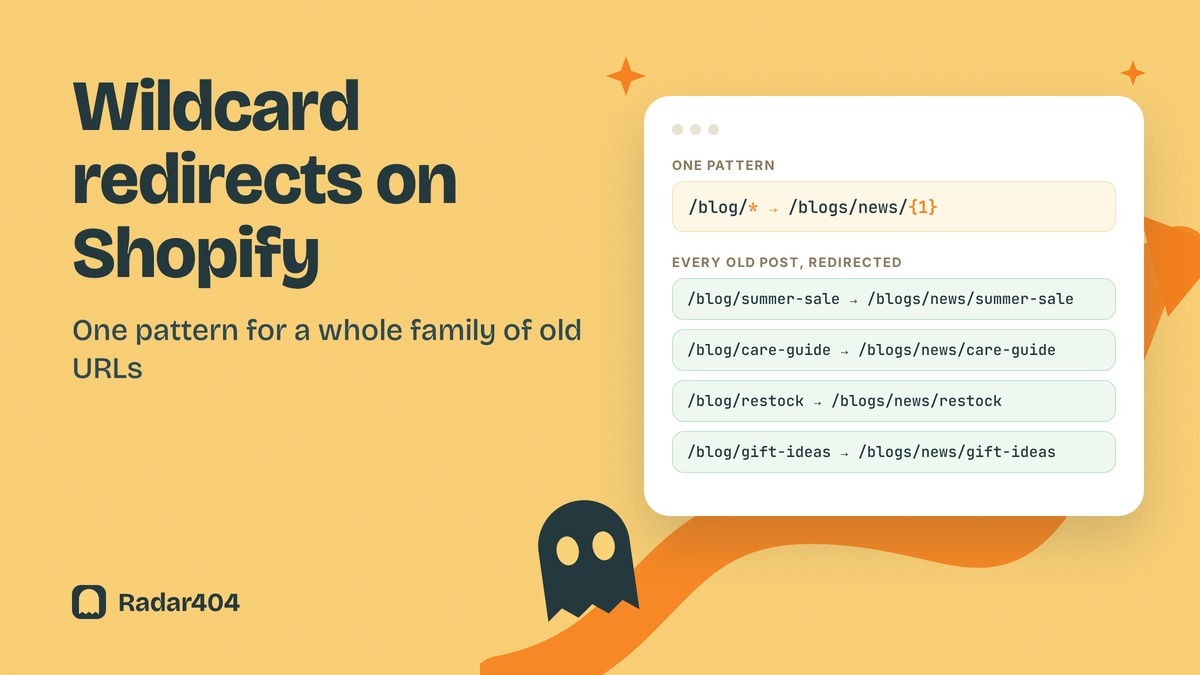
In the source, * matches any text in that part of the path. In the target, {1} pastes back what the first * captured, {2} the second.
/blog/* → /blogs/news/{1}
So /blog/spring-lookbook goes to /blogs/news/spring-lookbook.
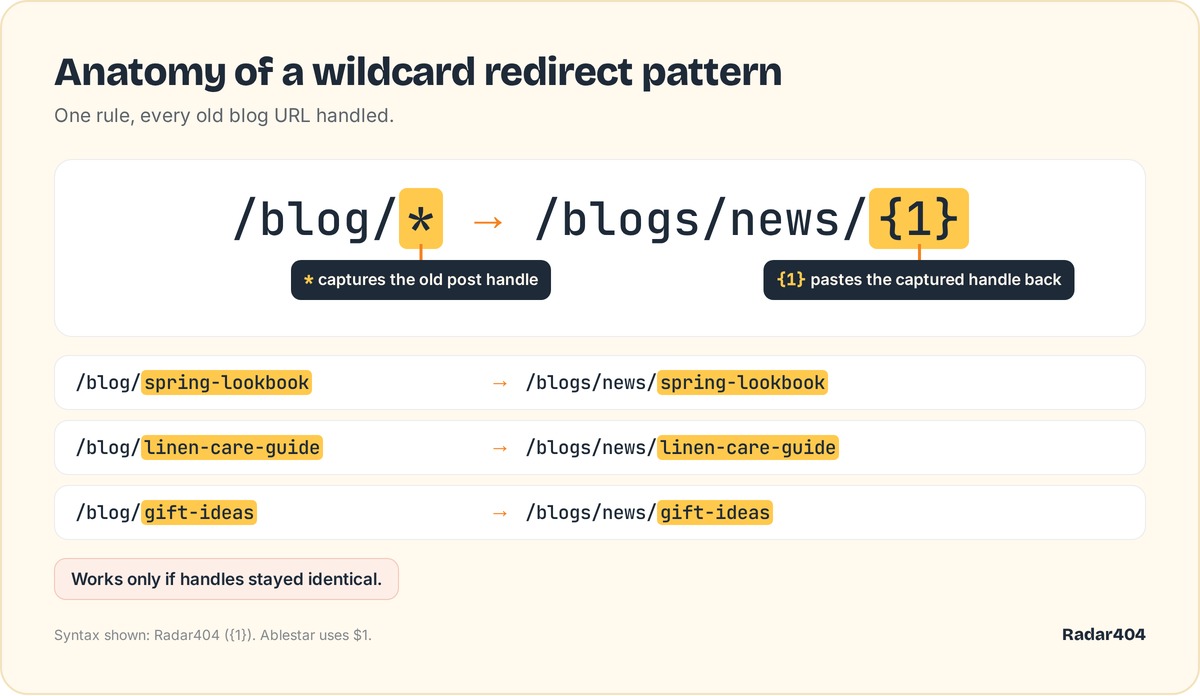 The star captures the post handle, and {1} reuses it in the new path.
The capture only works if the handle stayed identical. If you renamed posts during the move, the pattern builds URLs that don't exist. Syntax also varies: Ablestar writes the capture as $1, Radar404 as {1}, and a few apps accept regex.
Four patterns for common moves
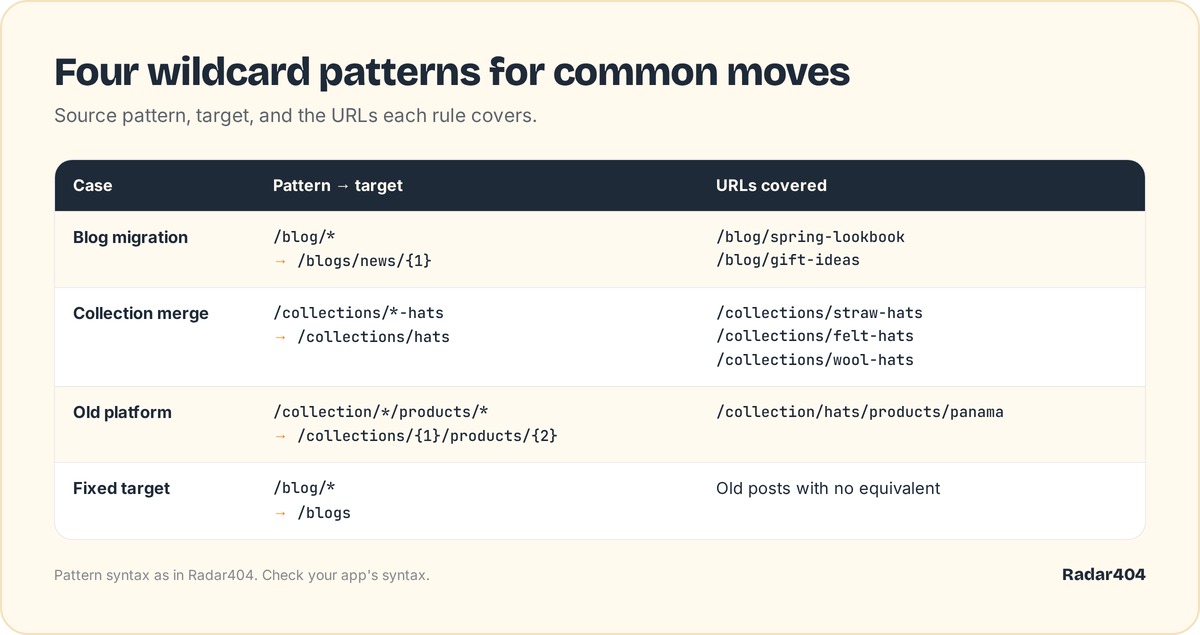 Four rule types, each with its source, target and the URLs it covers.
Blog migration. Old posts at /blog/post-name, new ones at /blogs/news/post-name: /blog/* to /blogs/news/{1}.
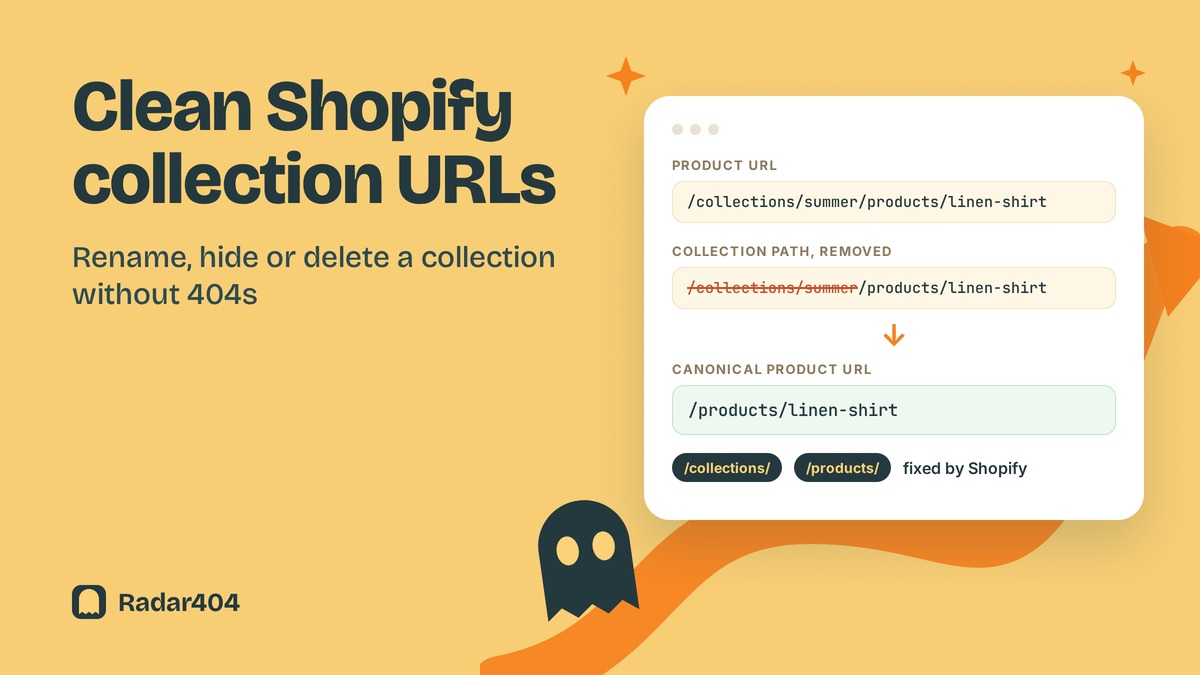
Collection merge. Straw, felt and wool hats now share /collections/hats. Nothing is reused, so the target is fixed: /collections/*-hats to /collections/hats (check that your app accepts a * mid-segment). Product URLs inside old collections need no rule: on the Dawn demo store on September 26, 2026, Shopify sent /collections/<collection>/products/<product> to /products/<product> with a 301 whenever the product existed, even for a missing collection handle.
Old platform URLs. Two captures rebuild the Shopify path: /collection/*/products/* to /collections/{1}/products/{2}.
Fixed target. For posts with no equivalent, /blog/* to /blogs sends the family to the blog index.
One rule instead of hundreds of rows
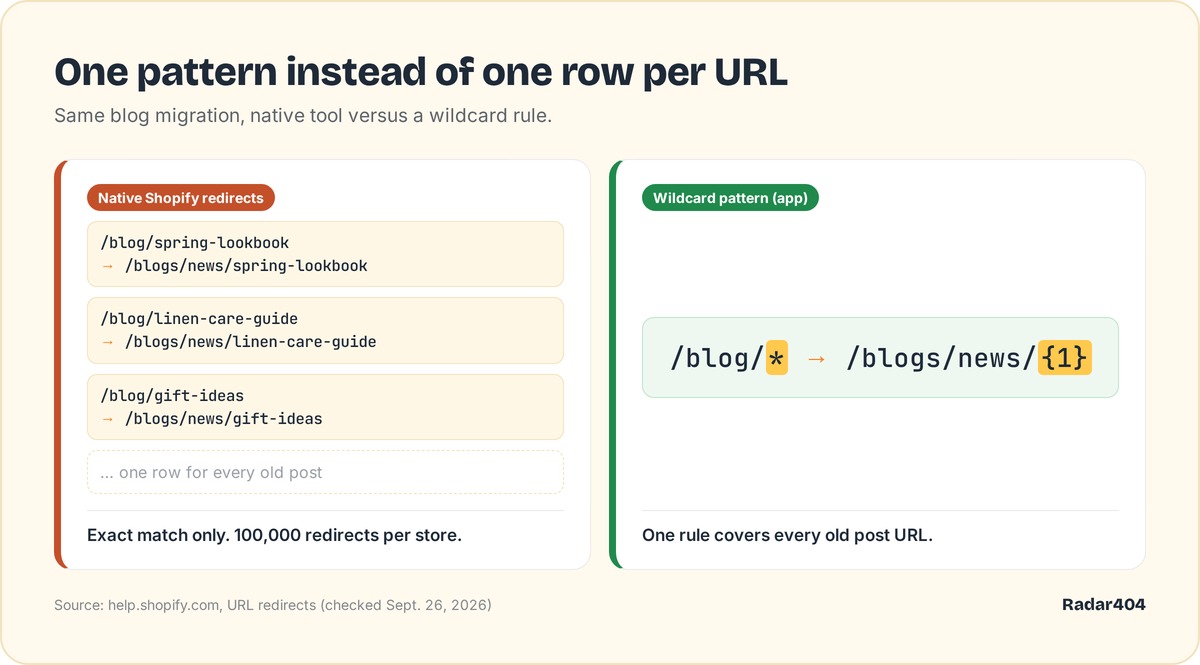 Natively, every old URL needs its own row. A pattern covers the family.
Natively, a migration means a CSV with one line per old URL, imported under Content > Menus > URL redirects > Import. That works when you hold the complete list: our guide to bulk redirects with a CSV walks through the file.
A pattern helps when you lack that list, and the native tool stops there. In Radar404, patterns run in order when a 404 happens, and each match creates a permanent native Shopify redirect for that path, which stays after an uninstall. The trade-off: Radar404 doesn't crawl your site and only sees a broken URL once a visitor or bot requests it, so a CSV still wins when you have the full list.
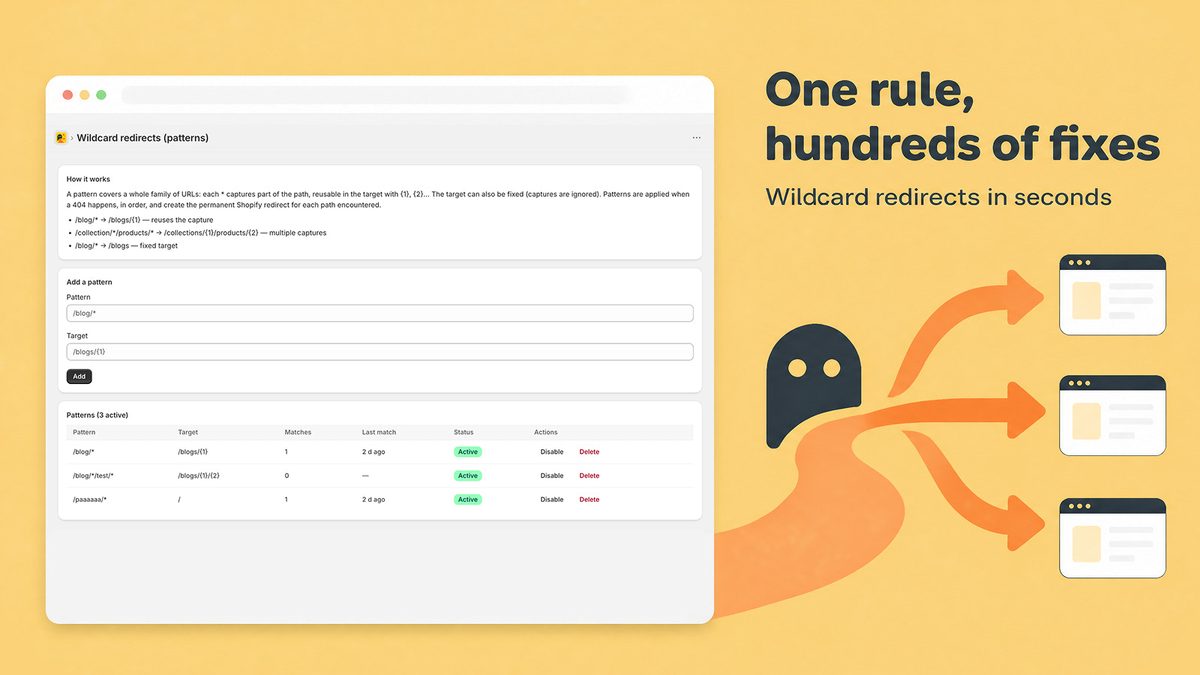 The Radar404 patterns screen: rules apply in order, only when a 404 happens.
Traps to check before you switch a pattern on
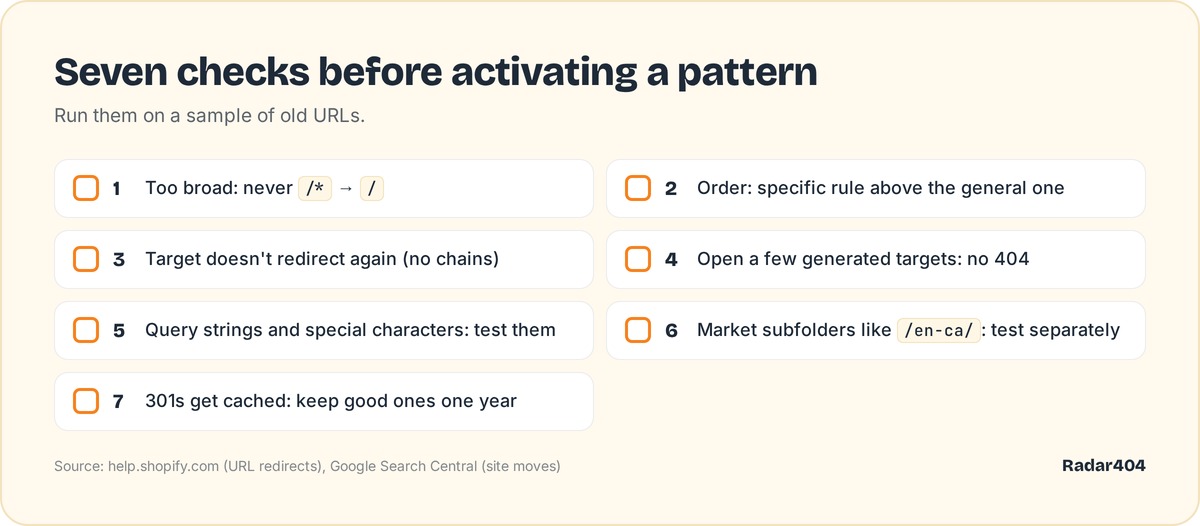 Seven checks to run on a sample of old URLs before going live.
- Too broad.
/*to/sends every broken URL to the homepage. Google's page indexing report help says a 404 with no replacement isn't necessarily a problem. Redirect only to a real equivalent. - Rule order. A general
/blog/*above/blog/recipes/*catches the recipes first. Put the specific rule on top. - Targets that redirect. That builds a chain. Google's site move guide says Googlebot follows up to 10 hops, ideally no more than 3.
- Missing targets. Open a few generated targets before going live.
- Query strings and special characters. Shopify warns these "might not work as expected".
- Market subfolders. Test paths like
/en-ca/separately: Shopify's help page contradicts itself on them. - Cache. Browsers and search engines cache 301s, so a bad rule can keep firing after you delete it. Keep good redirects at least a year, per the same Google guide.
Shopify apps with wildcard or pattern redirects
From App Store listings as of September 26, 2026, in USD, without ranking. No listing says whether its patterns create native Shopify redirects (Radar404's site says it does). Ask before installing: native redirects survive an uninstall.
| App | Patterns from plan | Price |
|---|---|---|
| 404/301 SC Easy URL Redirects | Pro | $14.99/month |
| SEOWILL 404 Link Redirect | Pro | $7.99/month |
| Redirect Hero | Pro+ | $4.90/month |
| Redirect Ninja | Pro | $9.99/month |
| 404/301 URL Redirects by Nabu | Explorer (3, wildcard or regex) | Free |
| Redirect Pro | Free | Free |
| Doc404 | Premium (wildcard and regex; client-side JS redirect) | $9.99/month |
| Ablestar Link Manager | Basic (5) | $10/month |
| Routify | Free | Free |
| Radar404 | Starter (5) | $5/month |
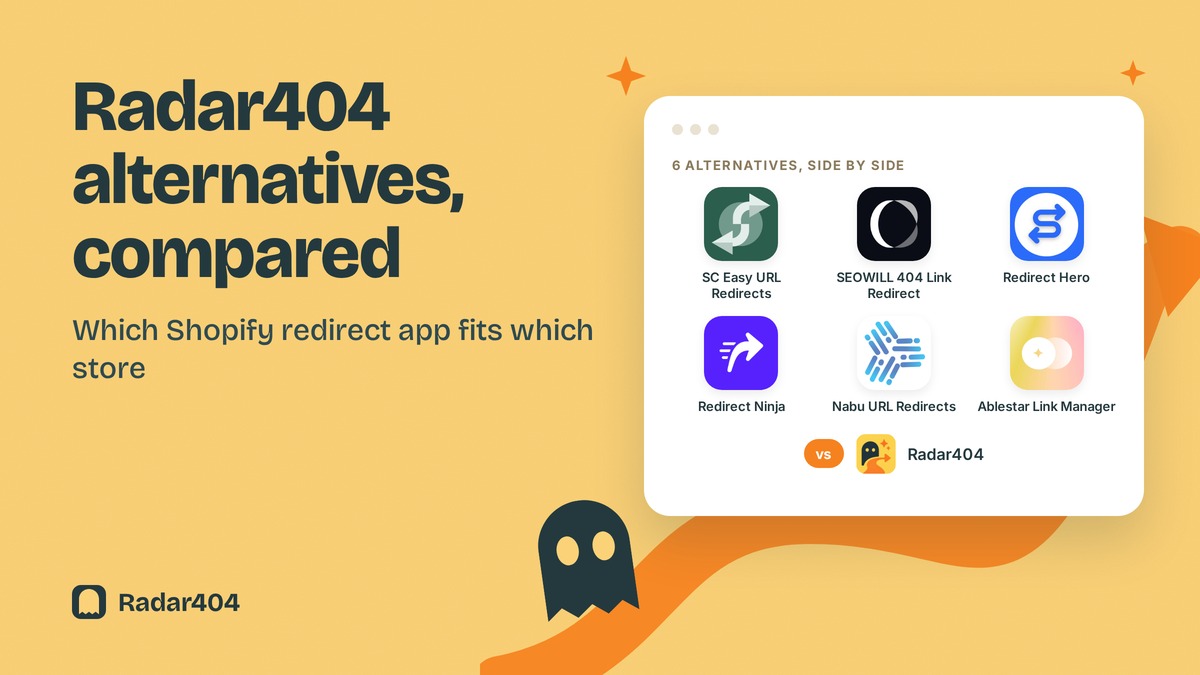
More detail in our roundup of Shopify redirect apps.
Patterns and 404 detection with Radar404
Radar404 spots 404s through a beacon on your 404 page, then fixes them: AI matching for typos and deleted products, patterns for whole URL families. As of September 26, 2026, Pro ($24/month) lifts the 5-pattern cap of Starter, with a 14-day free trial. The listing has no reviews yet. Install Radar404 from the Shopify App Store.
Frequently asked questions
Does Shopify support wildcard redirects?
Not natively. Shopify's URL redirect tool takes one exact path per redirect, and its help page mentions no wildcard, pattern or regex. For patterns such as /blog/* to /blogs/news/{1}, you need a third-party app.
Can I use regex in Shopify URL redirects?
No, the native tool has no regex option. A few apps accept regex rules, for example 404/301 URL Redirects by Nabu and Doc404, as of September 26, 2026.
Why is my Shopify URL redirect not working?
Shopify only redirects broken URLs: if the old path still loads a page, the redirect never fires. Also check both fields for typos, make sure the path isn't a fixed or blocked Shopify path, and test with a cleared browser cache.
Can a Shopify redirect point to an external URL?
Yes. Enter a full URL starting with https:// in the Redirect to field to send visitors outside your primary domain. Use a relative path like /collections/shirts to stay on it.